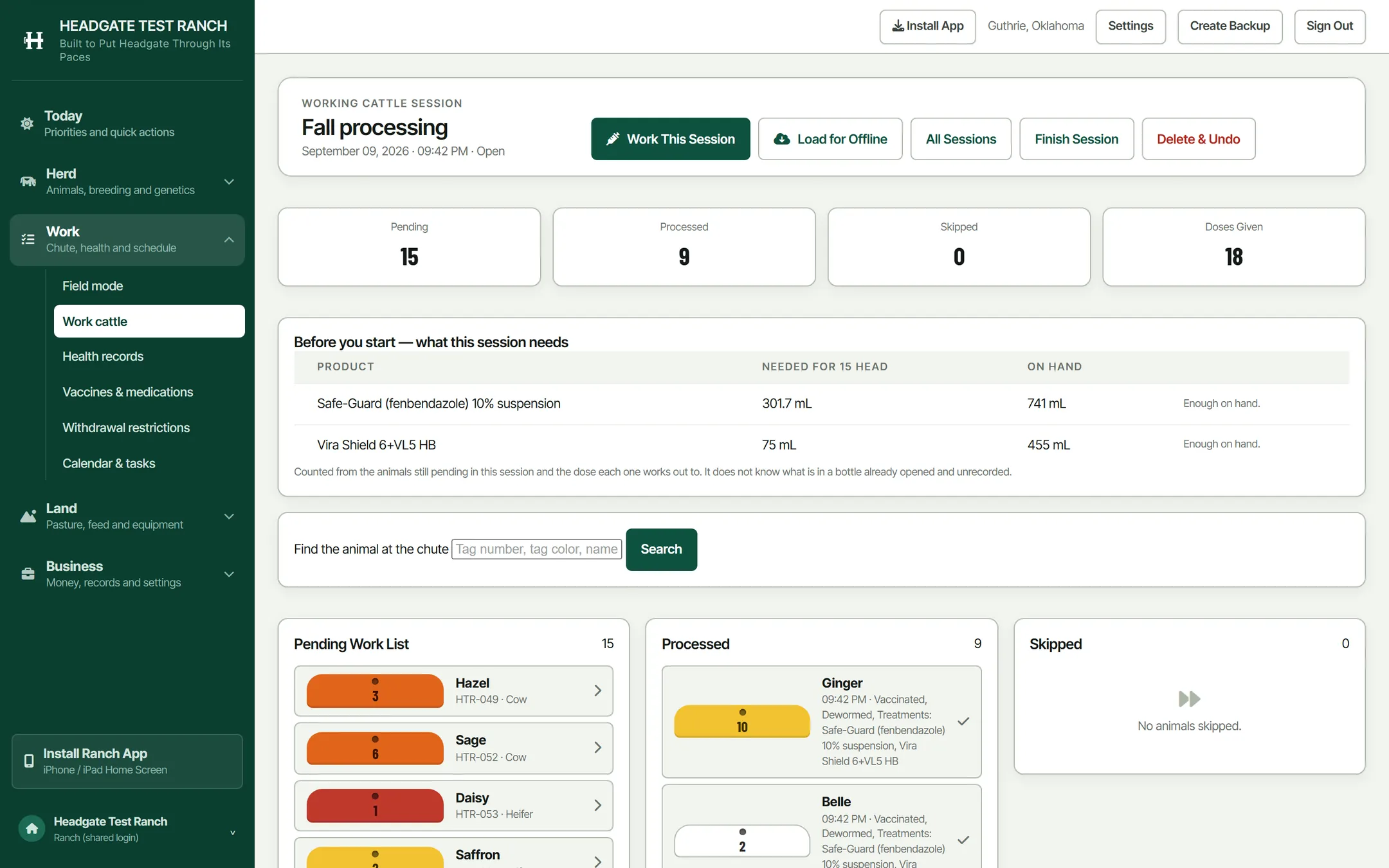
The chute screen
One animal at a time, on a phone, in a set of pens with no bars showing. Weight, products, doses, withdrawal, next.
It runs with the phone in airplane mode
Load the session before you leave the house and the whole work list comes with it: every animal, every product, every label dose. Saves queue on the phone and go up on their own when a signal comes back. Nobody has to remember to press anything that evening.
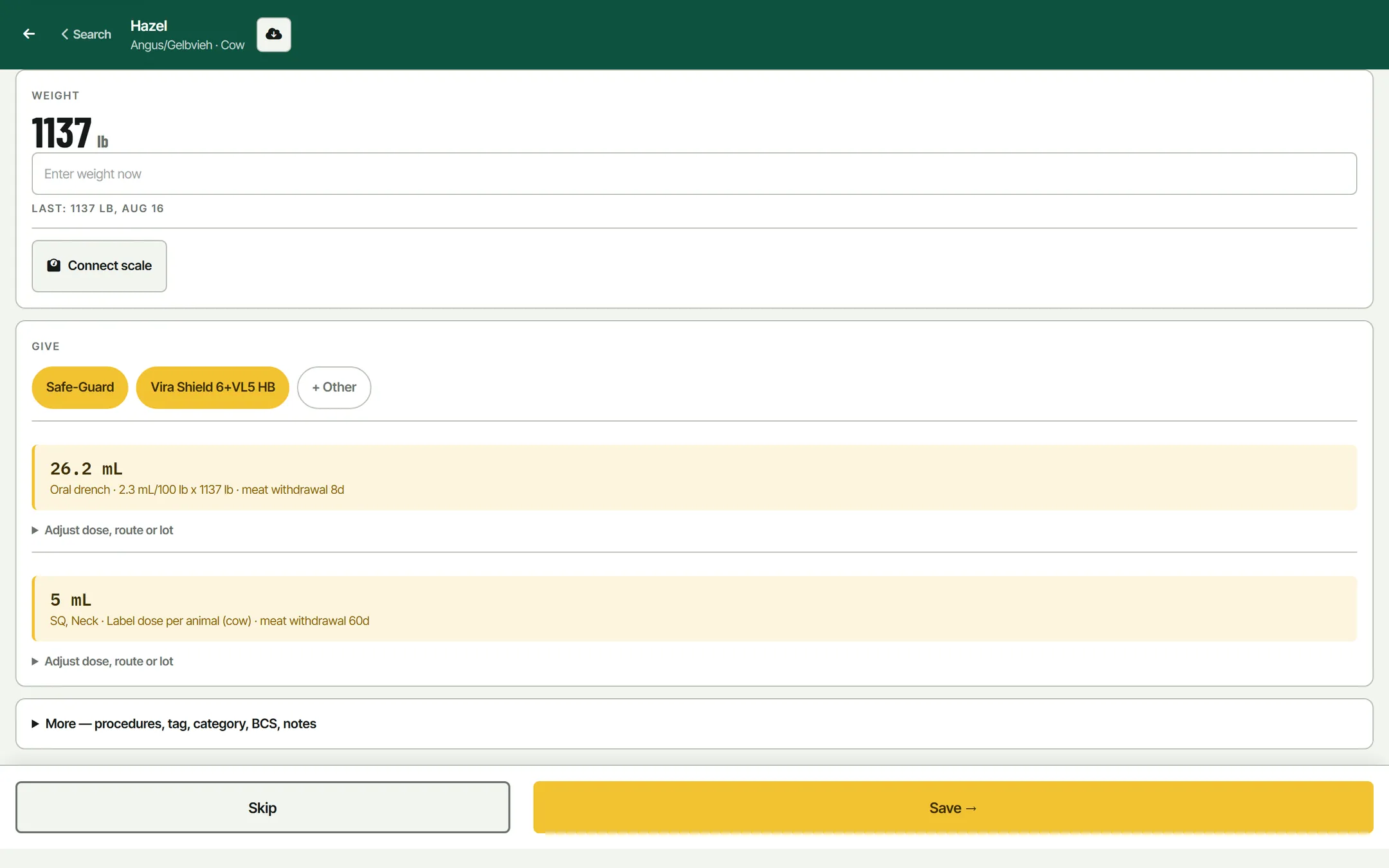
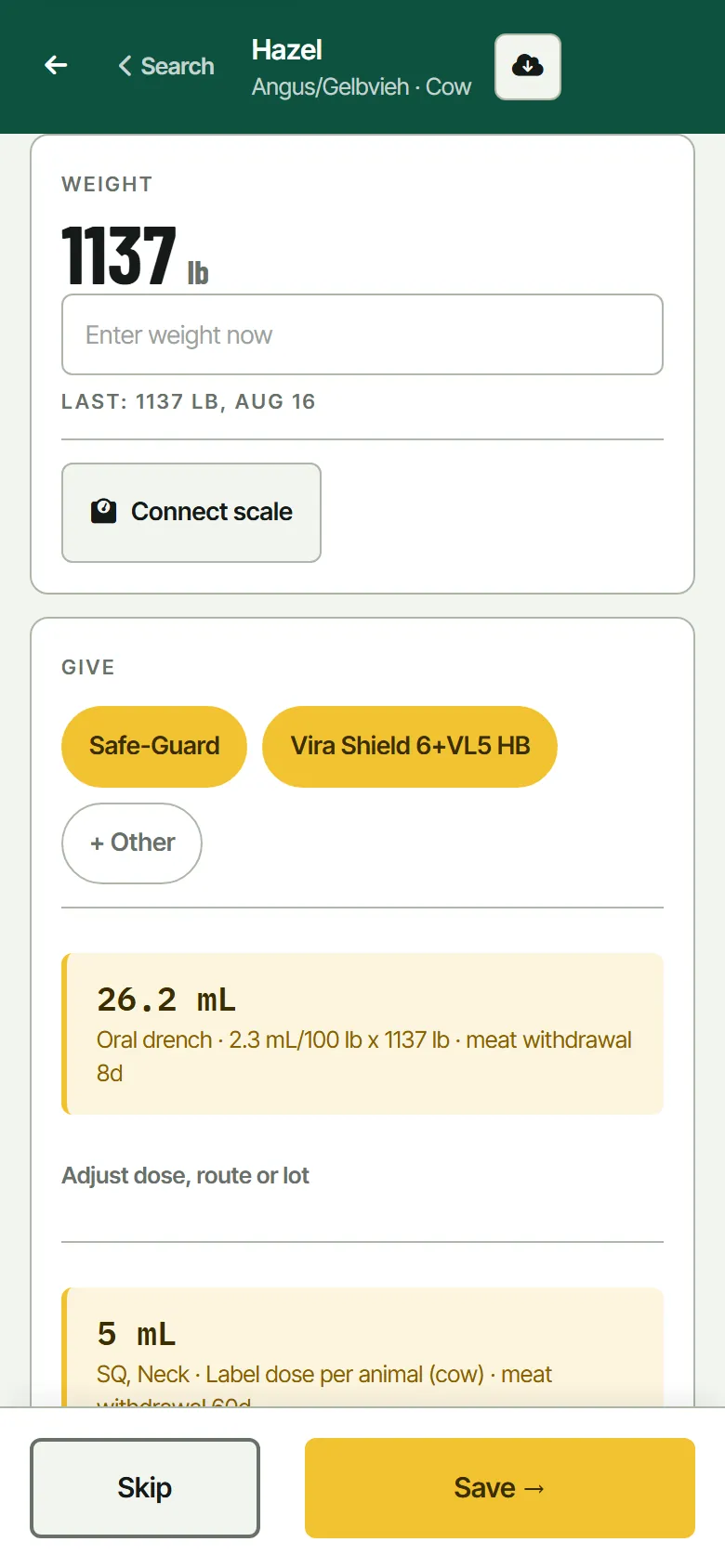
The weight is the first thing
Everything else on the screen is calculated off it. Pair a Tru-Test S3 over Bluetooth and it lands in the box as the animal settles. Type it in, or bring a whole session in from a CSV, and the screen works the same. Bluetooth needs Chrome, or the Headgate app on iPhone.
One tap per product
Pick the products for the session once, and after that every animal gets the same one-tap chips. Tap one and the dose is worked out from this animal's weight, with the route off the label and the day the meat hold clears. Open Adjust if the bottle in your hand says different.
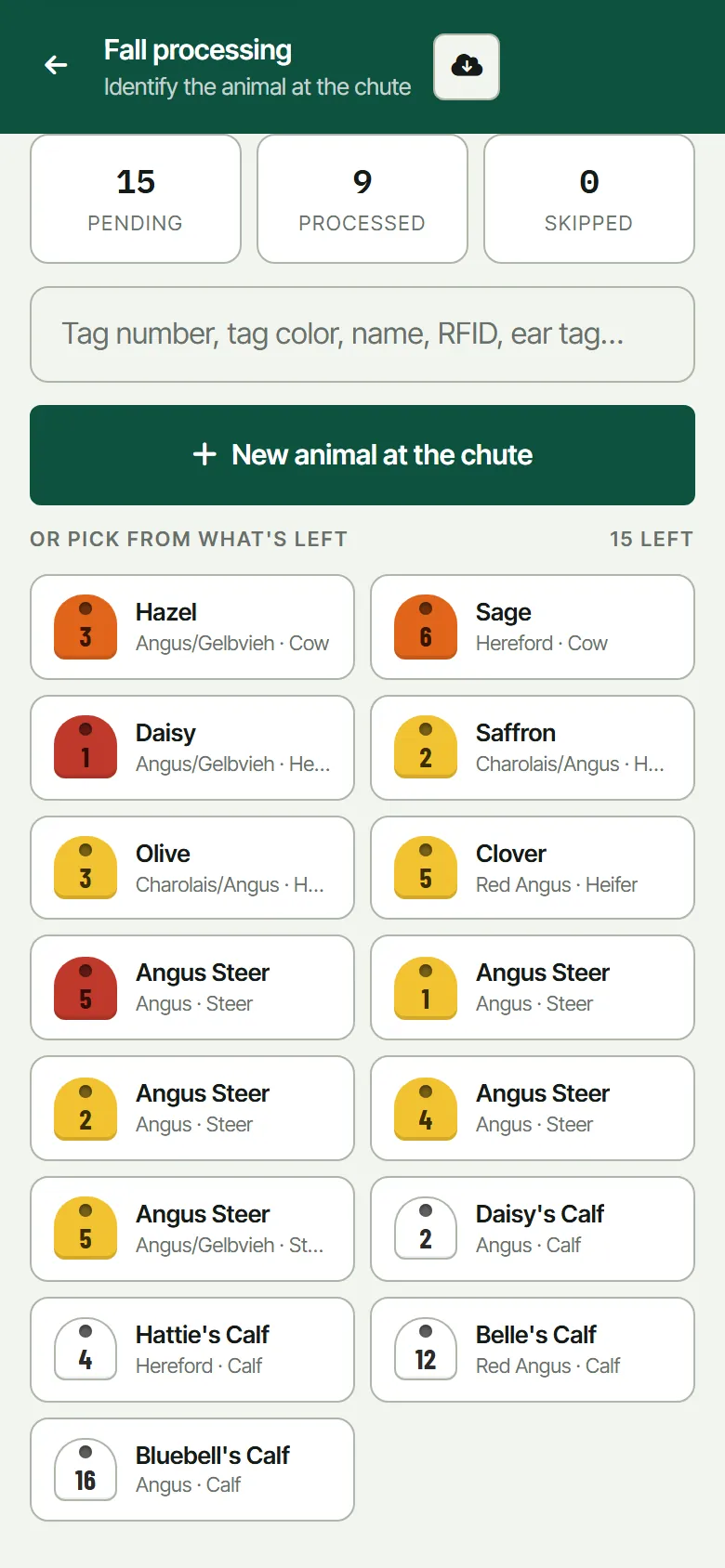
Find the animal in front of you.
The work list is built off whatever you actually gathered: a pasture, a category, cow-calf pairs, or a hand-picked set. At the chute it is a grid of tags. Tap the one that came up, or type the tag number, the name, the ranch ID or the RFID and it filters as you go.
If something comes through that has never been in the book, add it right there. Tag colour, number, category, and it joins the session without leaving the screen.
- Session 24 head off Home Pasture, 9 processed, 15 left
- Search Tag, name, ranch ID, RFID, tattoo, registration
- Skip Put one back in the pen and it stays on the list
When the set is done.
The session page is where the morning gets tidied up: who went through, what they got, and anything you want applied to the whole bunch at once rather than one at a time.